
Intuit Intelligence
2025-Current
Led and shipped design from 0 to 1 in 3 months, driving cross-functional collaboration and rapid AI prototyping to deliver at scale.
Solo Product Designer supporting 3 Backend, 6 Frontend Developers, Researchers, Content and PM
Role & team
QuickBooks mobile App on iOS & Android
Product area
Success metrics
5M+ active users
Since launched in November 2025, it has gone from 0 → 5M+ active user product.
Why is this difficult
Intuit Intelligence doesn't just answer questions — it acts on your data and drives real business outcomes.
Every response is grounded in a business owner's actual QuickBooks data, and it isn't just a chat interface, it's an action layer. Users can create transactions, configure automations, and draft business plans without leaving the conversation. That means designing for trust, accuracy, and embedded action all at once.
Solved problems
That connection to real financial data is what makes it powerful. It's also what makes it hard.
Intuit Intelligence is QuickBooks' native AI assistant, but unlike most AI chat products answer from a fixed body of knowledge. Intuit Intelligence has to answer from yours — and that's a fundamentally different design problem.
1. Discoverability
Users don't know the AI has access to their data, so they don't know what to ask. Without that awareness, the most powerful capabilities go untouched.
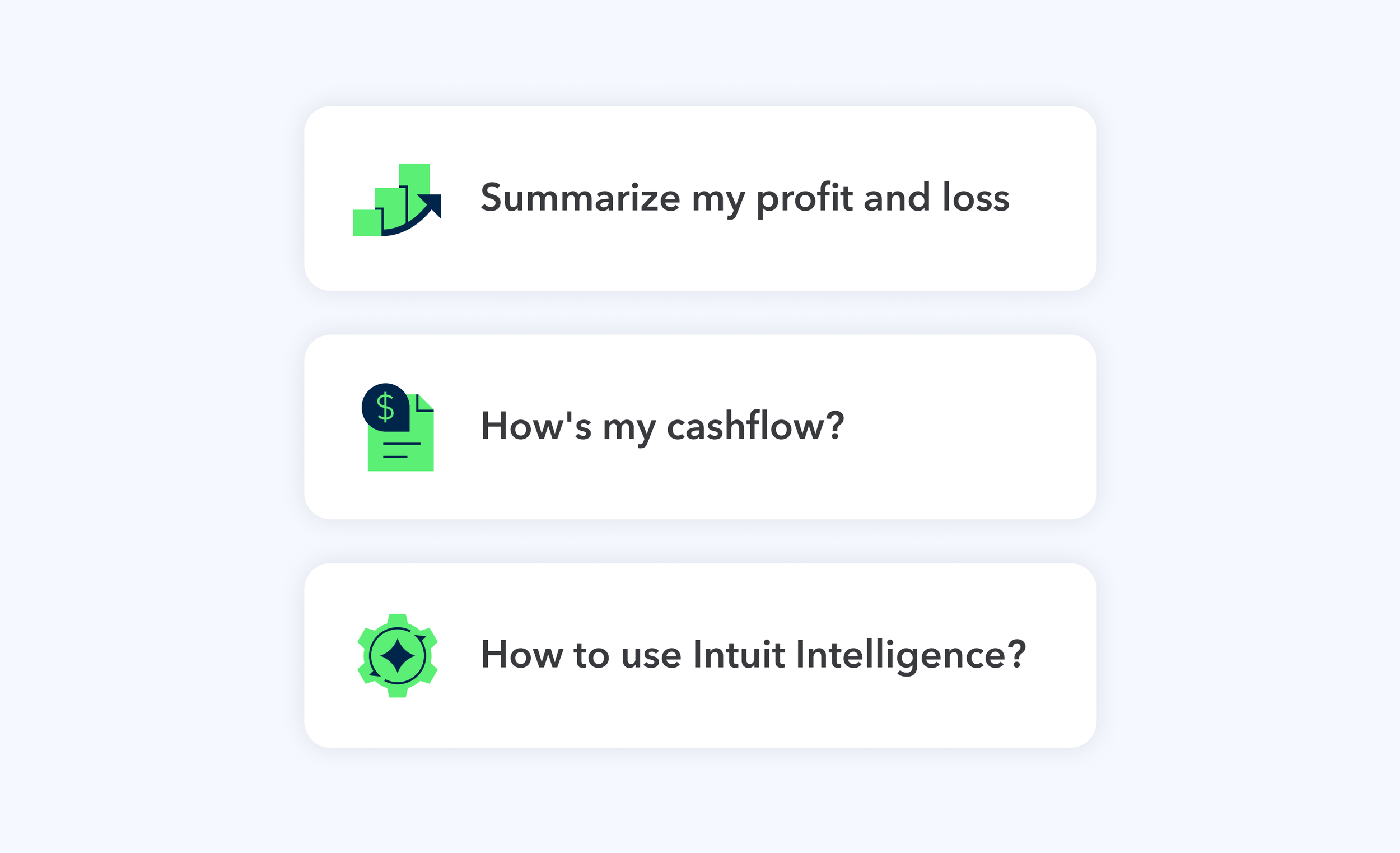
2. Latency & Accuracy
Waiting is tolerable, but waiting blind isn't. When users can't see the reasoning behind a decision, uncertainty fills the gap and trust breaks down.
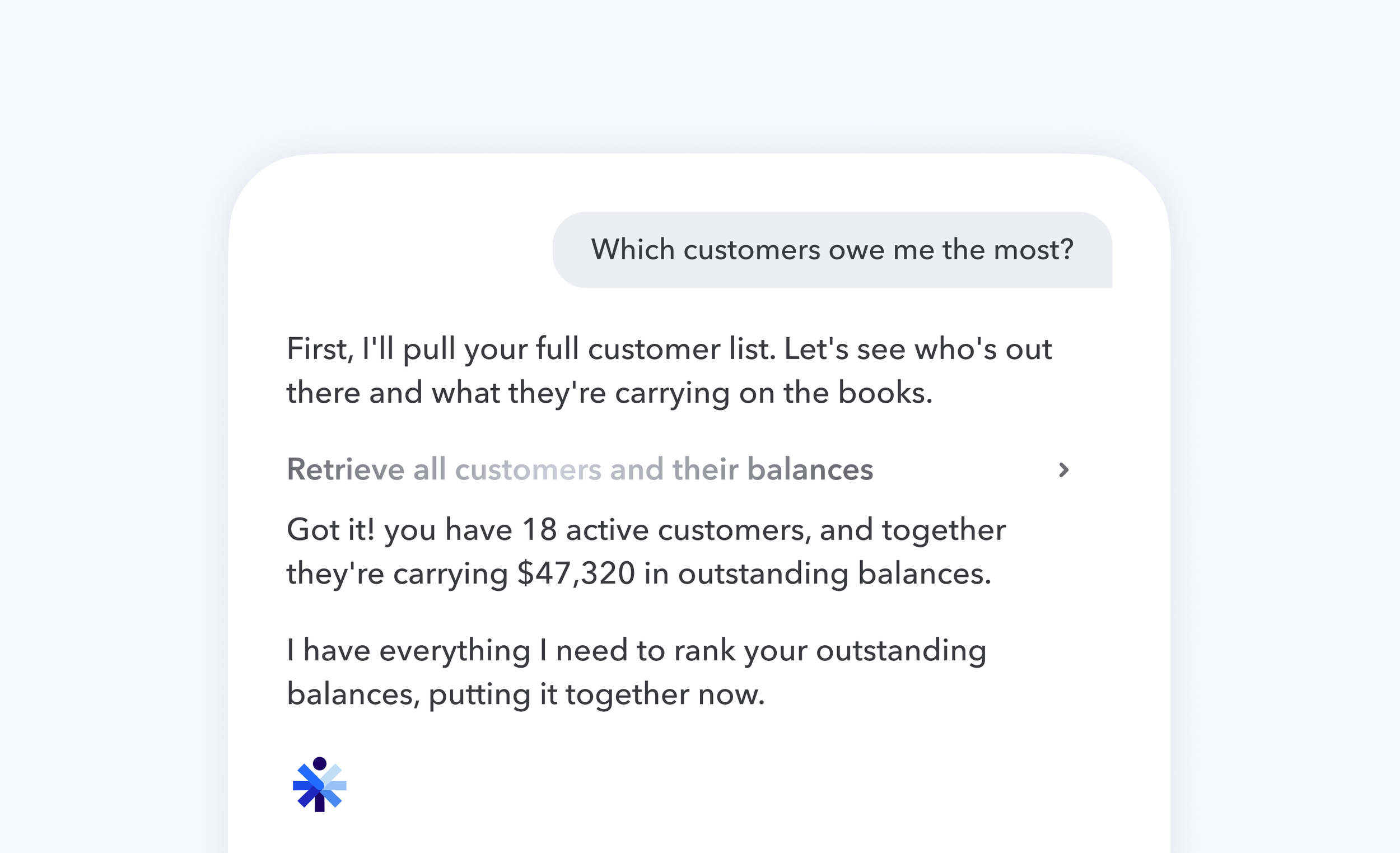
3. Embedded action
Answers alone don't move a business forward. When users can't act on what the AI surfaces , the conversation becomes a dead end.
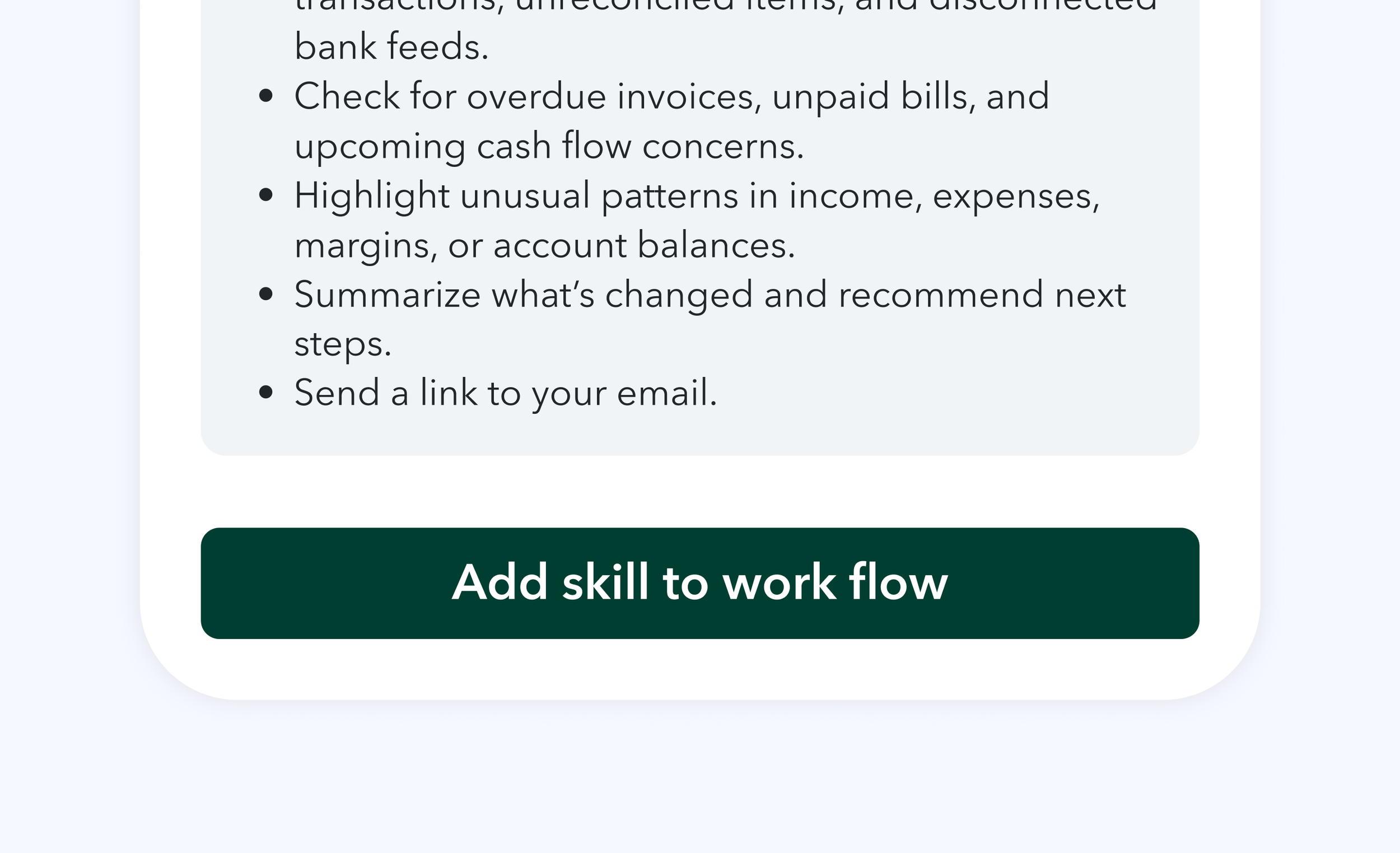
Problem 1
Discoverability
Unlike most AI chat products, QuickBooks users don't arrive with a clear intent. Most don't realize the AI has access to their financial data — so they don't know what's possible, or where to begin.
Before
91% of users who saw it never sent a prompt
Because users are dropped in with no guidance, many mistook it for a help bot — unsure what to ask.
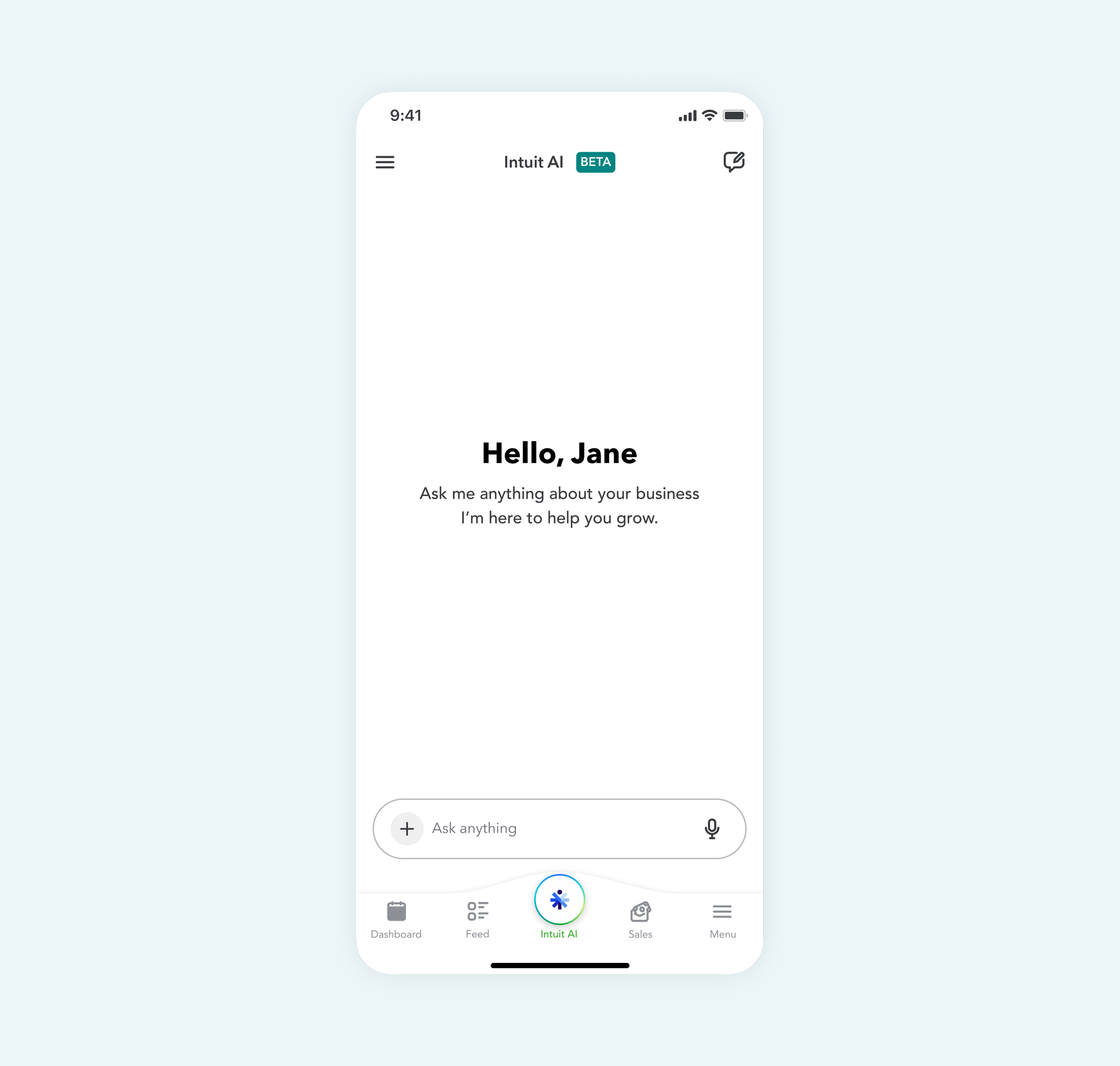
After
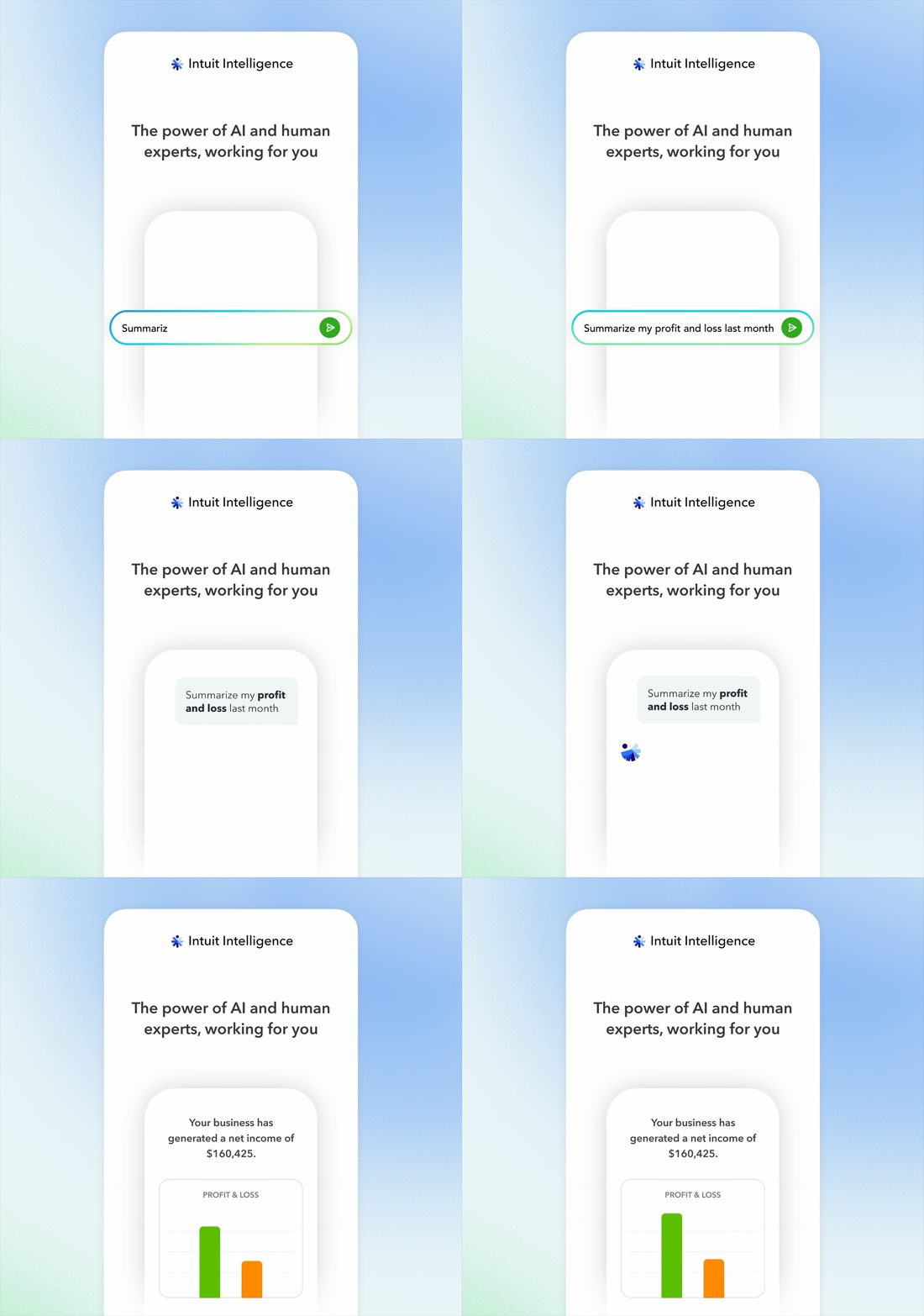
Setting realistic expectations
Animated onboarding that demonstrates AI capabilities, users' first interaction becomes a hands on tutorial for effective AI use.
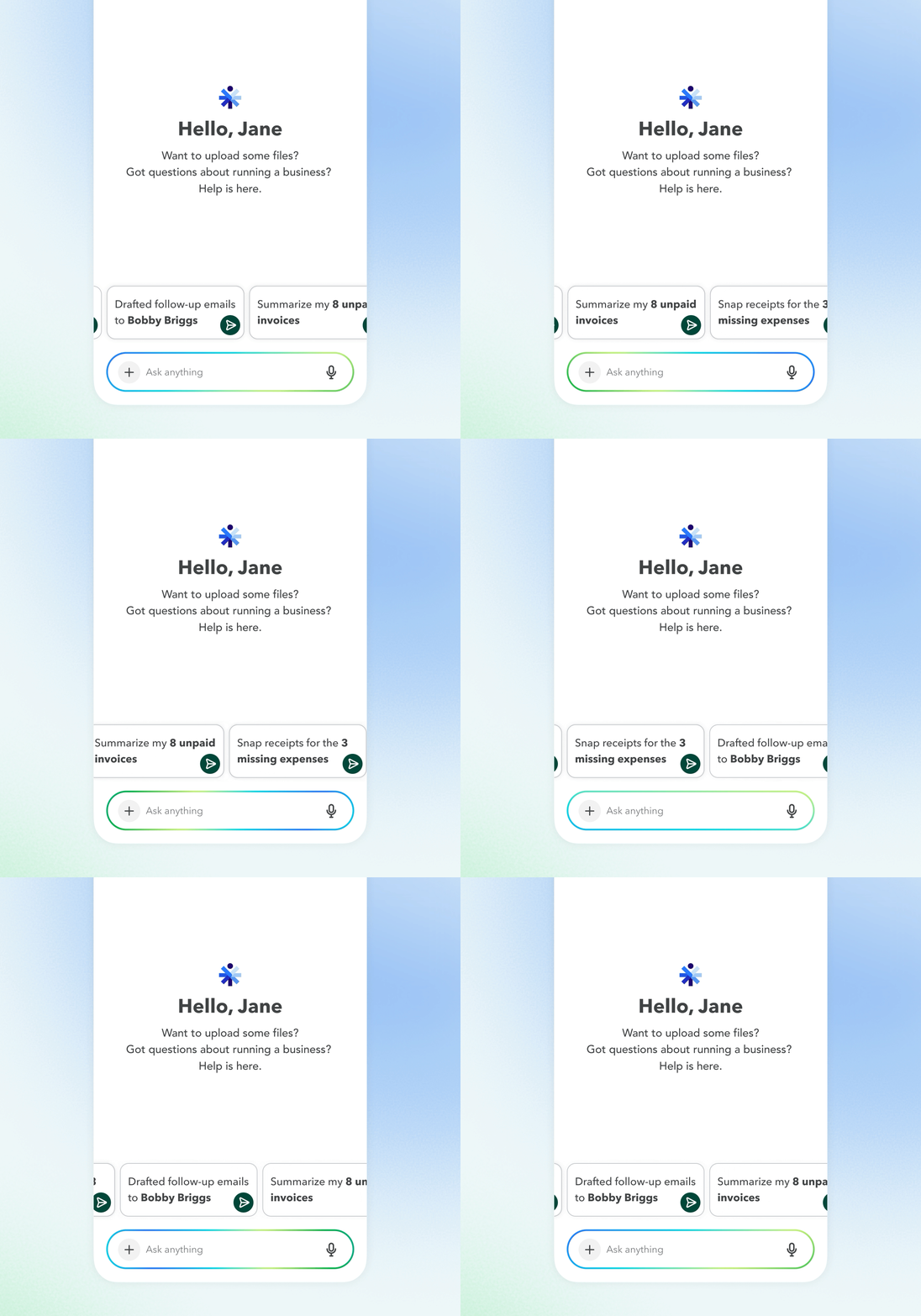
Enabling quick starts
Combine insight with suggested action to create personalized prompts that make starting conversations easier.
Impact
Early engagement data shows positive trend, engagement grew from 3.7% to 4.2%
Problem 2
Latency & Accuracy
In a financial product, users need to trust not just the answer — but how the AI got there. A spinner gives them nothing to hold onto while they wait, and uncertainty makes every second feel longer.
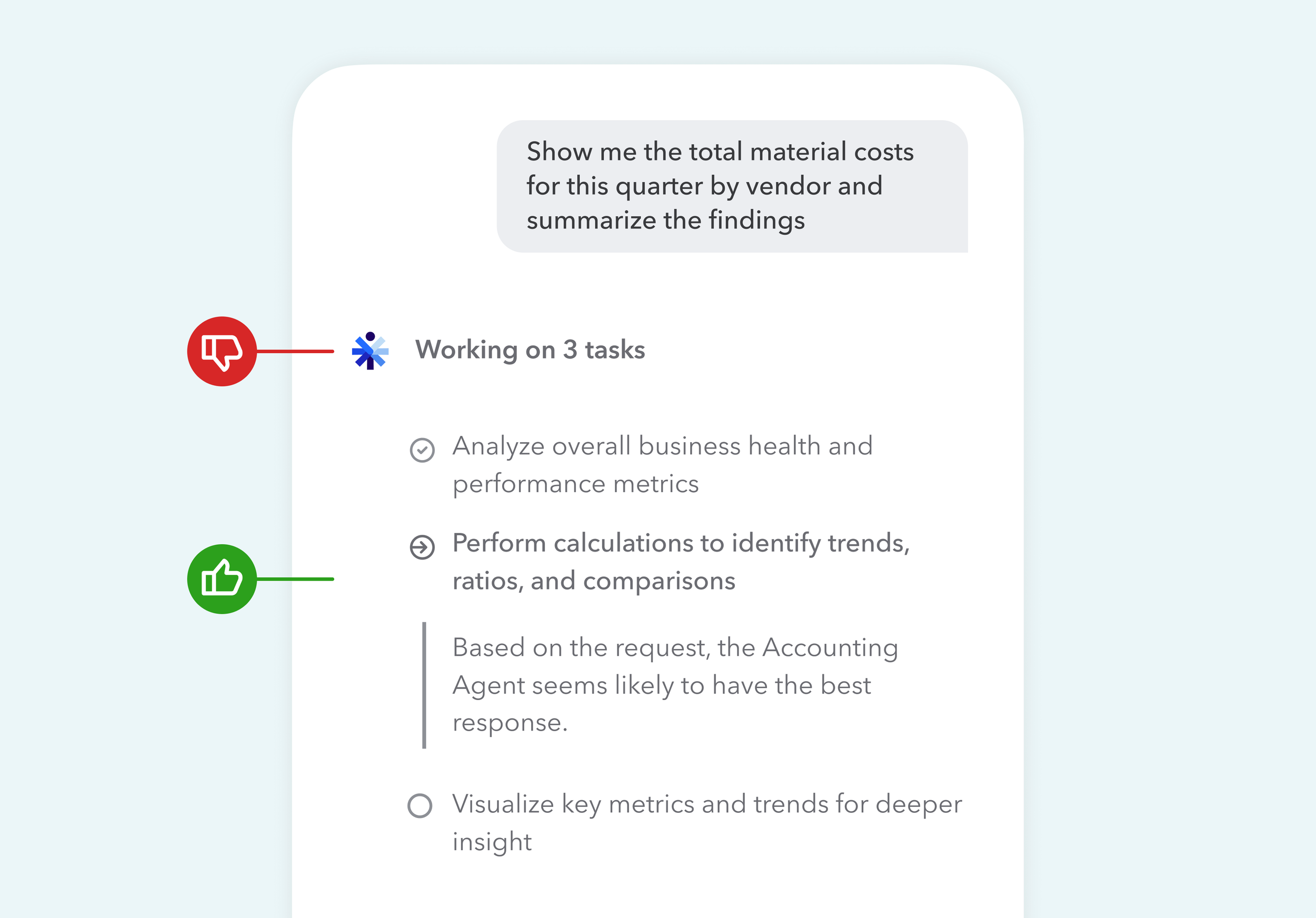
Early prototype
We tested this with users and found two things:
Con: Phase label is too generic
"Working on 3 tasks" told users nothing, they had no sense of what the AI was actually doing.
But the bigger surprise:
Pro: Users didn't mind the wait as much when they had something to read.
Process
Once I recognized that CoT could make waiting feel meaningful, I partnered with backend developers to understand what reasoning text we could extract from the LLM, then I defined a core principle:
Only surface what users don't already know.
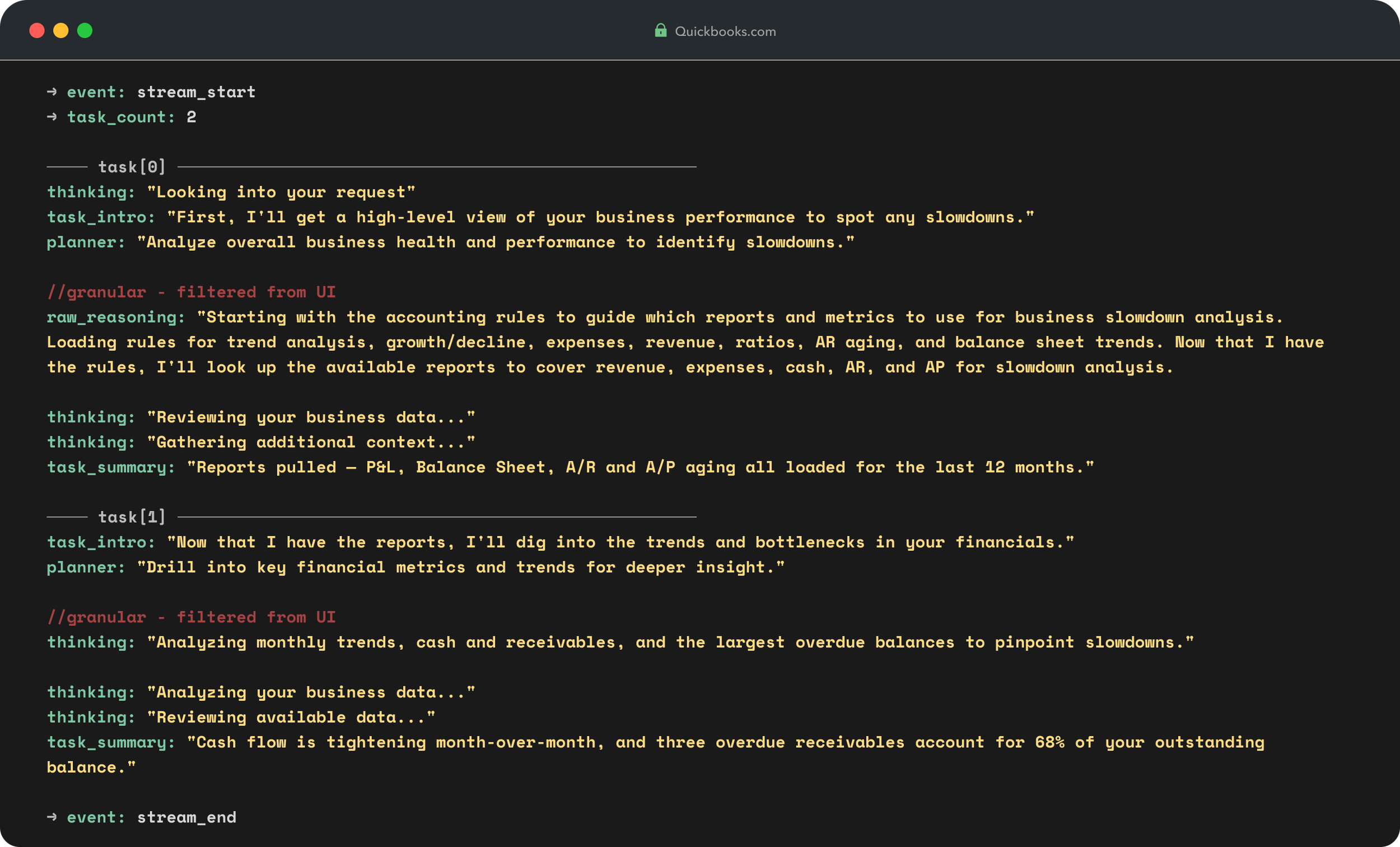
From there, I analyzed each type of reasoning the LLM produced, defined its role, and turned that into the CoT Rendering Spec — the logic frontend developers use to parse and render backend output.
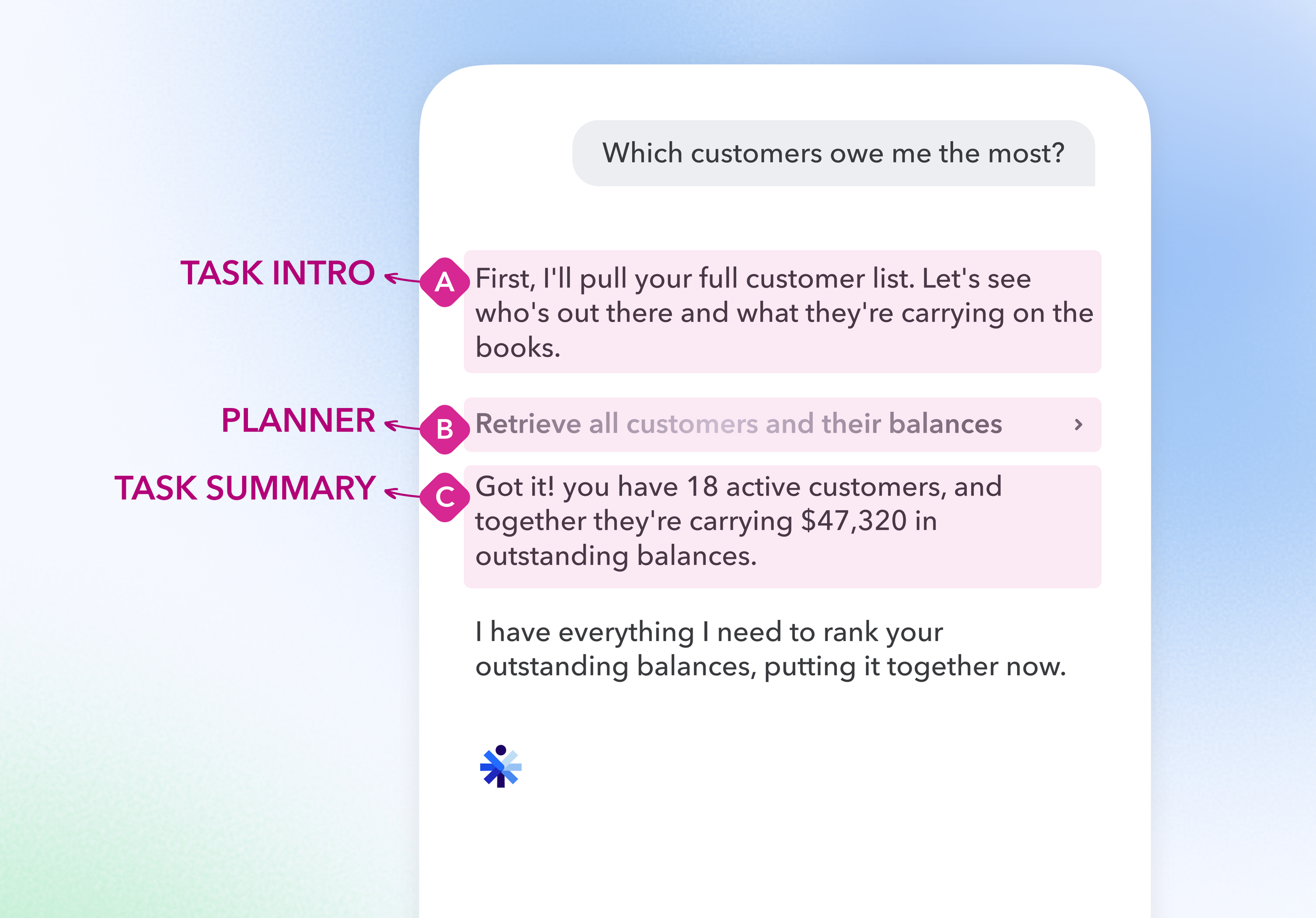
Design solution
Perceived progress
Visible reasoning steps showed the AI actively working — and framed the thinking the way a business partner reasons out loud.

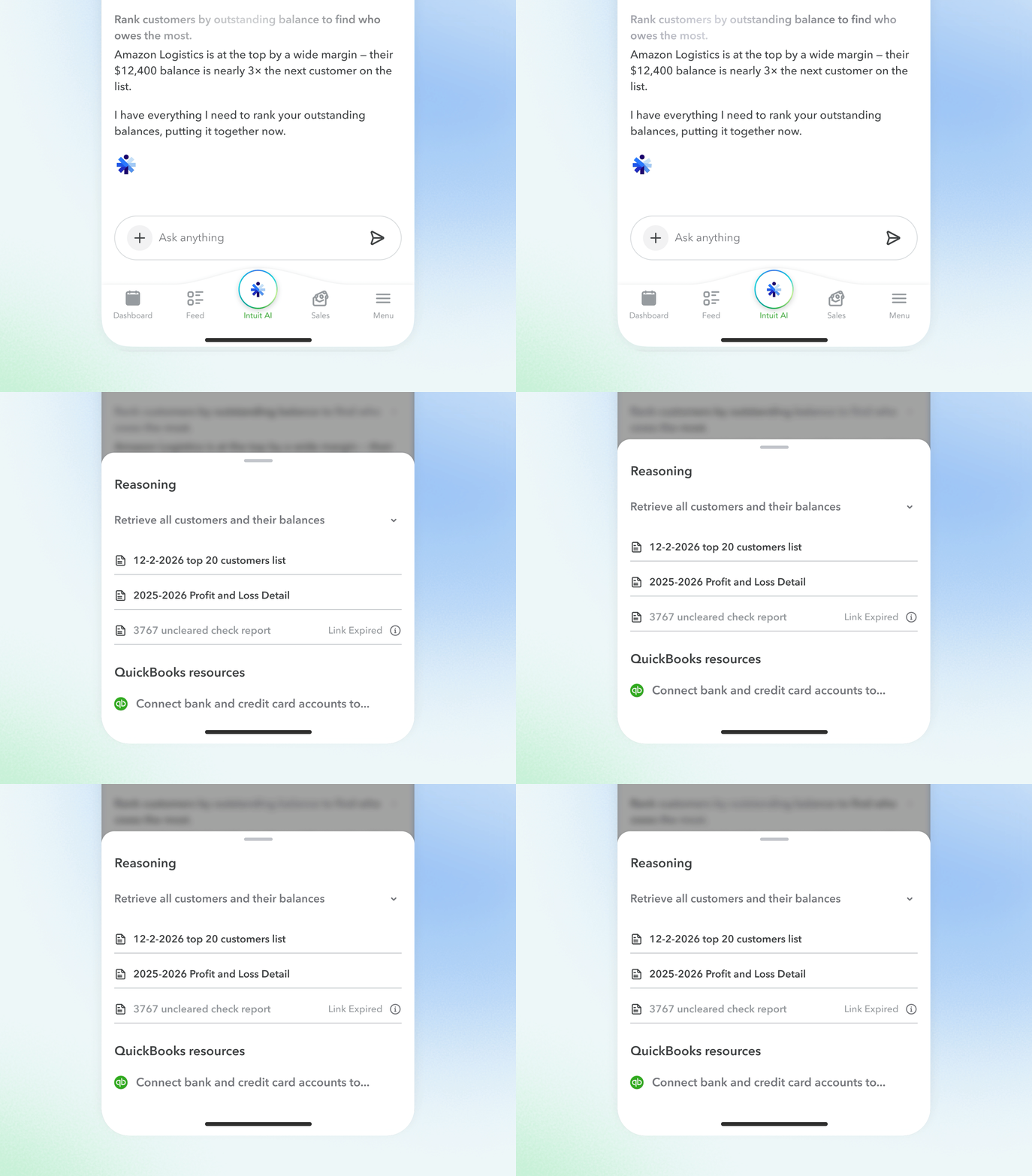
Surfacing data
Users see what data AI accesses and how it analyzes, giving them confidence to trust and continue using the product.
Problem 3
Embedded action
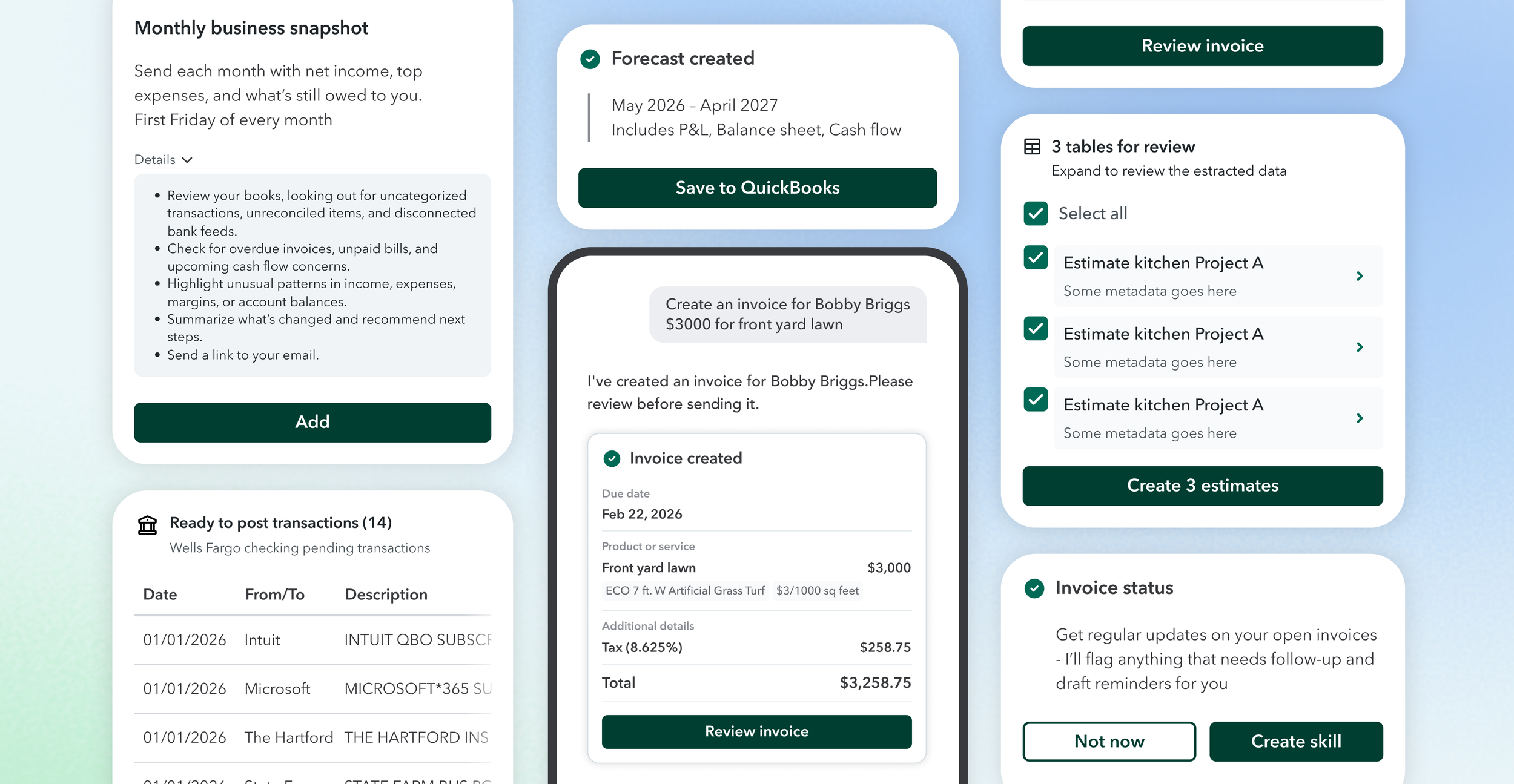
In QuickBooks, every AI response can trigger a real action — a transaction created, an automation configured, a plan drafted.
When every response looks like a wall of text, users struggle to find what matters and hesitate before taking the next step.
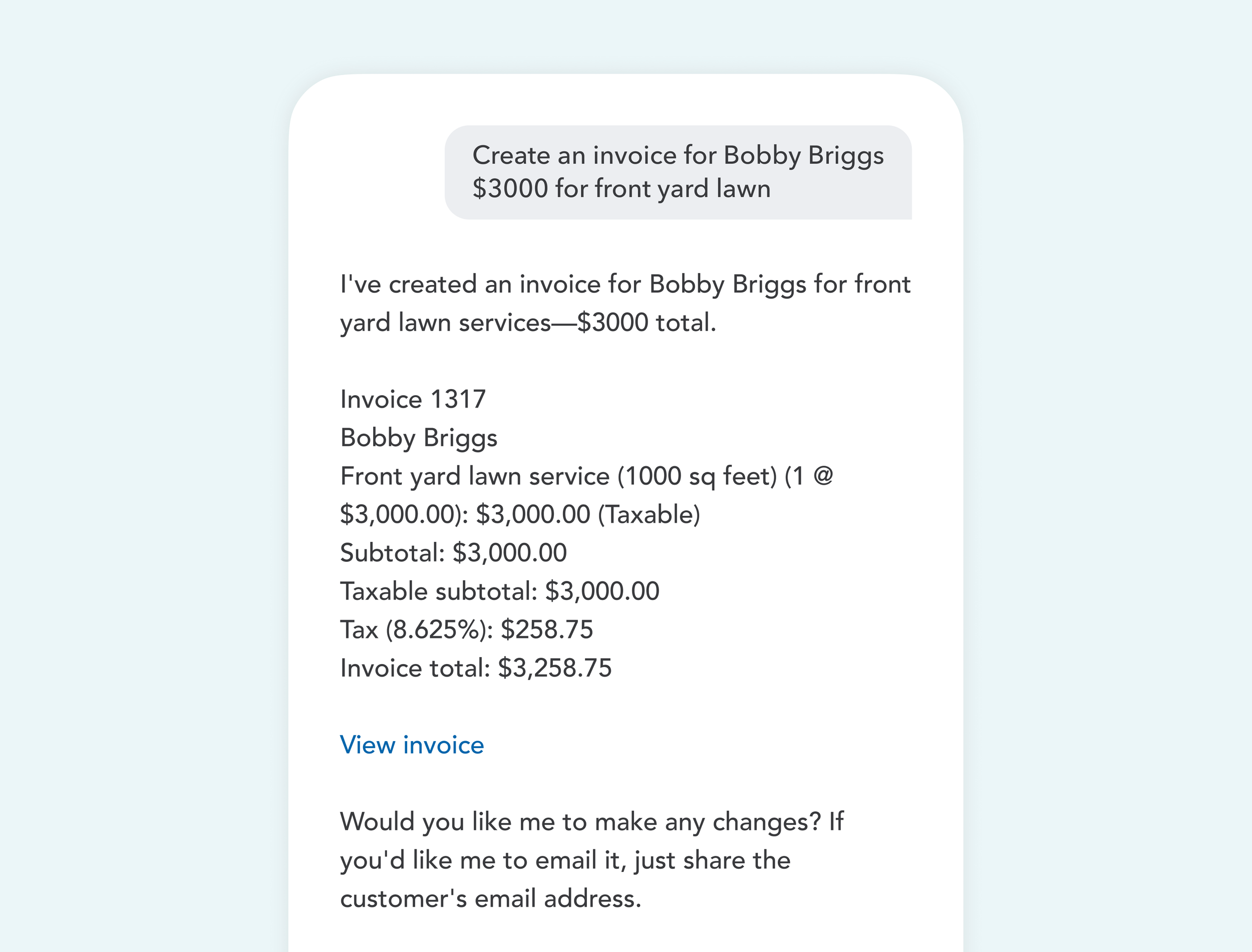
Before
No hierarchy, no attention, no action
AI reasoning, transaction details, and next steps all collapsed into one block of text. With no hierarchy, nothing stood out, and the action users needed to take was buried where no one would find it.
After
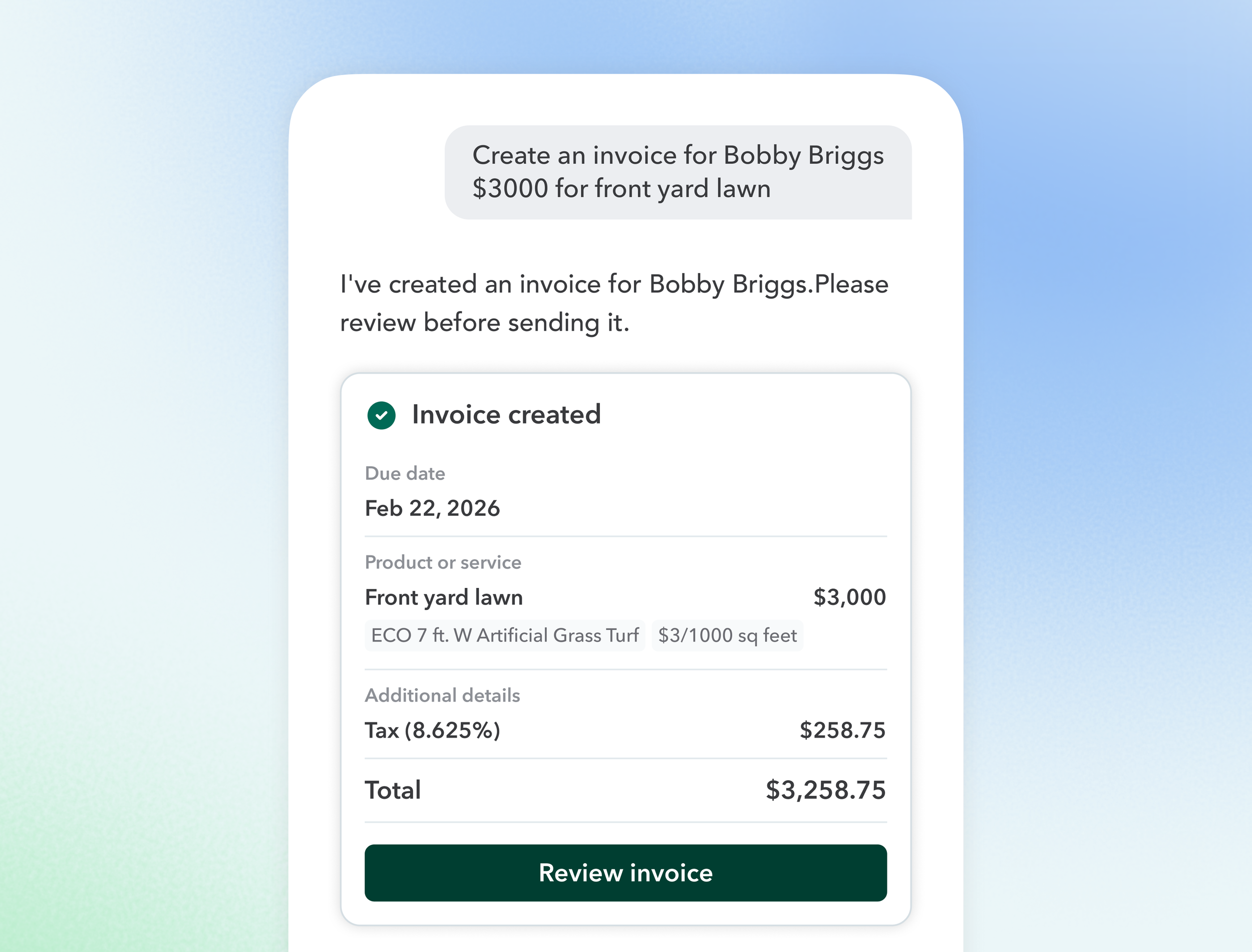
A consistent structure for every response
A shared framework, header, supporting data, and a clear call to action, so every response feels familiar and nothing important gets lost.
Impact
6 external teams using this framework, including Invoice, Accounting, Expenses, Report and QuickBooks agent. Users now have a clearer vision of the information and the action.
Key takeaways
We built and launched Intuit Intelligence in 3 months. I was the only product designer leading mobile. Getting alignment across external teams and stakeholders at that velocity is genuinely hard at a company the size of Intuit. But everyone was rowing in the same direction, and that shared momentum was one of the most energizing experiences of my career.
The product isn't perfect, and that's what keeps us moving forward.
Ship, learn, repeat. We built fast, launched, researched, and iterated. Over and over. I learned to accept the tradeoffs of a V1, and immediately push toward the next iteration.
Design is more than design. I was no longer just a designer receiving a PRD. I was involved from strategy, constantly prototyping (with AI tool as we’re the AI team!) to validate ideas and bring my triad partners and external teams along — or letting myself be convinced.
Last but not the least, shoutout to my triad partners: my PM Maaron Bea, who gave me the freedom to expand scope in pursuit of better user experience. And my engineering partners Badarinath Venkatnarayansetty and Katie Liu who patiently answered every technical question and always gave me design feedback from perspectives I wouldn't have found on my own.